Universal TV Remote Control
Galixo.AI - Super TopVPN PROXY, MUSIC PLAYERHouse & Home
3.965.00 Reviews
- Version
- 1.9.5
- Installs
- 5.00M
- Age Rating
- Everyone
Screenshots
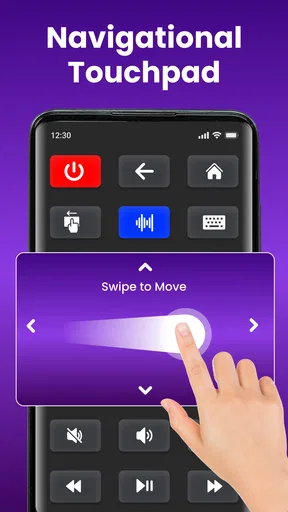
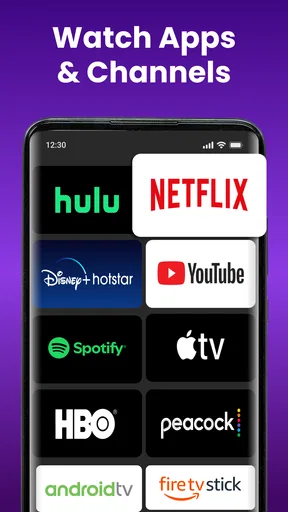
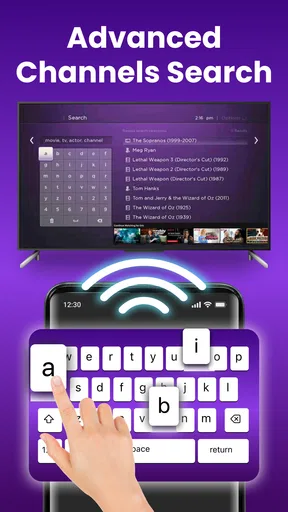
Our Review of Universal TV Remote Control
 Analysis by Appyee
I usually reach for a remote app when the physical remote is missing, out of reach, or one of several on the coffee table. Universal TV Remote Control is aimed at that everyday House & Home problem: it turns an Android phone into a way to control a television, using Wi-Fi or infrared signals. That combination sounds convenient, but the experience depends on a practical detail people often discover only after installing: the phone and TV need a control method they can both use.
Before you start: check the control route
The first thing I would check is whether the phone has an infrared transmitter or whether the TV can be reached over Wi-Fi. These are different routes, not interchangeable magic. Infrared is useful for compatible TVs that respond to a conventional remote, while Wi-Fi control is the more natural fit for a TV connected to the home network. If the phone lacks infrared, that does not automatically rule the app out, but it does make Wi-Fi compatibility the key question.
This distinction also helps set expectations around older televisions. A TV without network features may still be a candidate if the Android phone has IR hardware and the app supports its commands. If neither side has a suitable connection, an app cannot replace the physical remote on its own. I would check the phone’s specifications and have the TV model handy before treating setup as a sure thing.
A more reliable setup routine
When I set up a remote app, I prefer to do it beside the TV rather than from another room. I keep the phone on the same home Wi-Fi network as the television when using network control, then try a basic command before spending time arranging buttons or learning optional controls. Starting with power, volume, or navigation gives a quick indication that the connection is working.
If the first attempt fails, I would avoid repeatedly tapping commands and instead check the connection path: confirm the TV is available on the network, make sure the phone has not switched to mobile data or a guest network, and try again near the set. For infrared, aim the phone toward the television as you would a normal remote. These small checks can separate a setup snag from a genuine compatibility mismatch.
Where it fits in a shared home
The app is most useful as a spare or convenience remote, not necessarily as the one control every person in a household should depend on. If I am alone and the remote is under a cushion, using my phone is easy. If several people are watching together, a physical remote can be quicker to pass around and does not depend on anyone’s phone being nearby, unlocked, or available.
There is also a useful distinction between controlling the TV and controlling everything connected to it. A television remote can often handle power, volume, and input selection, but a connected player or sound system may have its own controls and its own compatibility needs. I would test the exact actions I use most, rather than assume one app will fully replace every remote in a cabinet.
What the audience figures suggest
Galixo.AI - Super TopVPN PROXY, MUSIC PLAYER develops the app, which is free to install and rated for Everyone. It has passed five million installs and holds an average rating of 3.9 from around seven thousand ratings, with a smaller number of written reviews. I read that as evidence that many people are willing to try it, while the rating leaves room for mixed experiences—something that makes sense for a remote app, where phone hardware, TV compatibility, and home networking can all affect results.
The current version is 1.9.3, and the app supports Android 8.0 and later. It also offers in-app purchases, with items ranging from a few dollars to around thirty dollars. I would try the free experience and confirm that the TV responds before considering any paid option. A purchase cannot make an unsupported phone send infrared or guarantee a Wi-Fi connection to a TV.
First Impressions and Setup
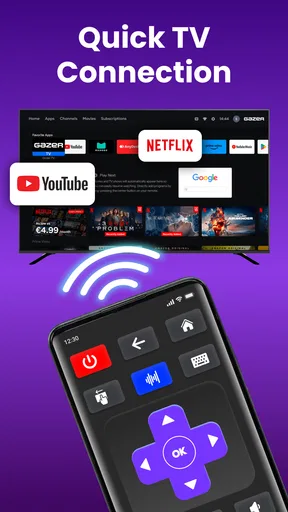
Getting started with the Universal TV Remote Control app was a breeze. Once I downloaded it from the app store, the setup process was pretty straightforward. The app guided me through a few simple steps to connect to my TV. It felt like the app was holding my hand through the process, ensuring I didn’t get lost. All I needed was a Wi-Fi connection, and I was good to go. It supports a wide range of TV brands, which is a huge plus.
Design and Usability
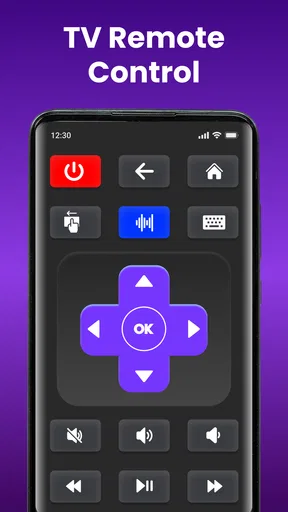
The app’s design is sleek and user-friendly. It mimics the layout of a traditional remote, so you don’t feel like you’re learning a whole new language. The buttons are intuitive and well-organized, making it easy to navigate even if you’re not the most tech-savvy person. I especially appreciated the large volume and channel buttons, which are often the most-used features on a remote.
Features That Stand Out
One of the standout features of this app is its compatibility with multiple devices. Whether you have a smart TV or an older model, this app has got you covered. It also supports various input options, so switching from TV to HDMI or AV inputs is seamless. Another neat feature is the voice control option, which lets you change channels or adjust the volume simply by speaking. It feels like living in the future!
Moreover, the app allows you to create custom remotes. So, if you have multiple devices (like a sound system and a Blu-ray player), you can control them all from one place. This customization feature is a game changer for anyone tired of juggling different remotes.
Making the handoff from remote to phone
A realistic use is arriving home with dinner, settling in, and discovering that the television is already on the right input but the remote is across the room. I can use the phone for the immediate task—lowering volume, changing channels, or navigating—without getting up. The handoff is less smooth if my phone is in another room, its battery is low, or someone else needs to use it, so I would still keep the regular remote somewhere predictable.
For a household with a Roku TV, the app’s stated support makes it worth testing as an alternative control route. I would begin with the controls used every day, then check whether the input and navigation actions I rely on behave as expected. Roku’s own remote option may be the better choice for someone who wants a focused experience for that platform; this app is more appealing when the goal is to try a broad remote utility on an Android phone.
Small workflow choices that prevent frustration
I would treat the app as a backup first and a full replacement only after a few ordinary sessions. Test it when you are not in the middle of a show: power the TV on and off, adjust volume, move through menus, and switch to the input used by a streaming device. That simple trial reveals more than a successful first connection, because it checks the commands that matter in daily use.
For Wi-Fi control, keeping the TV and phone on the same home network is a sensible starting point. If the household has separate guest and main networks, connecting them to different ones can make discovery fail even though both devices show Wi-Fi access. For infrared, line of sight matters; pointing the top of the phone toward the TV is a practical habit. Neither approach guarantees compatibility, but checking the route before troubleshooting the app saves time.
Performance and Reliability
The app performs smoothly, with minimal lag when sending commands to the TV. It feels almost as responsive as a physical remote. I haven’t experienced any connectivity issues so far, which is a relief because there’s nothing more frustrating than a spotty connection when you’re trying to binge-watch your favorite series.
Another factor worth mentioning is that the app doesn’t drain the phone’s battery excessively, which is often a concern with apps that require constant connectivity.
When another option makes more sense
A manufacturer’s own remote app can be a better fit if you mainly want to control one brand of smart TV and use its platform-specific functions. A physical universal remote is usually more dependable for people who do not want to keep a phone nearby, while a standard replacement remote may be the simplest answer for a TV that is not network-connected and a phone without infrared. Those alternatives trade the convenience of one device already in your pocket for fewer compatibility questions.
This app is a stronger match for someone who wants to try Wi-Fi or IR control from Android, especially as a spare for common TV tasks. It is less suitable if the household needs a guaranteed replacement for every device, if the phone is shared or regularly unavailable, or if a particular sound system or player must be controlled in detail. I would judge it by the specific TV and commands in my living room, not by the word “universal” alone.
Room for Improvement
While the Universal TV Remote Control app is impressive, there’s always room for improvement. The app could benefit from a more detailed help section or FAQs for those who might run into issues during setup. Also, while the voice control feature is cool, it doesn’t always pick up commands accurately, especially if there’s background noise. A little fine-tuning here would elevate the experience even more.
Voice control is best treated as an optional shortcut rather than the main way to operate the TV. In a quiet room it may be handy, but nearby conversation or television audio can make spoken commands less dependable. I would keep the visible controls as the fallback, particularly for precise tasks such as choosing an input or navigating a menu. If voice is the feature you care about most, test it in the room and conditions where you plan to use it before relying on it.
Who should give it a try
I would recommend trying it if you use Android, want a no-cost way to test phone-based TV control, and are comfortable checking whether your phone and television share a compatible route. It can be handy in a bedroom, a second living area, or any spot where the physical remote tends to wander. It may also suit someone who wants fewer controls on the coffee table, provided the app handles the devices they actually use.
I would skip it as a primary remote if you need certainty before setup, use an iPhone, or depend on controls for several different entertainment devices. The app is specifically an Android option, and a phone-based controller is not automatically a complete replacement for a TV’s original remote. If your viewing routine relies on a dedicated streaming box, soundbar, or other equipment, check those functions individually or choose a control designed around that equipment.
Final Thoughts
All in all, the Universal TV Remote Control app is a convenient and reliable solution to the age-old problem of misplaced remotes. It’s intuitive, packed with useful features, and performs like a charm. For anyone looking to simplify their home entertainment setup, this app is definitely worth checking out. Just make sure your phone is charged, and you’ll never have to worry about losing the remote again!
My practical verdict is to treat it as a useful extra rather than a promise that every television and accessory will work perfectly. Confirm the connection method, test the everyday buttons, and keep the original remote available until the app has proven itself in your setup. If those checks go well, it can make the small handoffs of home viewing—turning the sound down, changing input, or pausing to answer the door—easier without searching the sofa first.
Verdict
Strengths of Universal TV Remote Control
- Compatible with most TV brands.
- User-friendly interface.
- Quick setup process.
- Free basic features.
- Customizable remote layout.
Limitations of Universal TV Remote Control
- Ads can be intrusive.
- Limited features without upgrade.
- Requires internet for setup.
- Occasional lag in response.
- Not compatible with older TVs.
Similar Picks in This Category
View All
Universal TV Remote Control
CodeMatics Media Solutions3.9

AlfredCamera Home Security app
Alfred Systems Inc.4.7

Planner 5D: AI Home Design
Planner 5D4.5

Universal Tv Remote-Cast to TV
One Music Player4.1

Zillow: Homes for Sale & Rent
Zillow Group4.8

99acres Buy/Rent/Sell Property
infoedge.com4.3
Frequently Asked Questions
What devices are compatible with the Universal TV Remote Control app?
The Universal TV Remote Control app is designed to work with a wide range of smart TVs, including popular brands like Samsung, LG, Sony, Panasonic, and more. It also supports various streaming devices such as Roku and Amazon Fire Stick. Ensure your smartphone is on the same Wi-Fi network as your TV for optimal functionality.
Do I need an internet connection to use the Universal TV Remote Control app?
Yes, an internet connection is typically required for the Universal TV Remote Control app to function correctly. The app uses your smartphone's Wi-Fi capabilities to connect with your TV or streaming device. Ensure both your phone and TV are connected to the same Wi-Fi network for seamless operation.
Are there any in-app purchases or subscriptions required for full access?
While the Universal TV Remote Control app is free to download, it may offer in-app purchases for additional features or to remove ads. These purchases are optional, but they can enhance your user experience by providing a more seamless and ad-free interface.
How easy is it to set up the Universal TV Remote Control app?
Setting up the Universal TV Remote Control app is straightforward. After downloading, ensure your phone and TV are on the same Wi-Fi network. The app will guide you through pairing with your TV, often requiring you to select your TV model and confirm a code displayed on your TV screen.
What should I do if the Universal TV Remote Control app is not working?
If the app isn’t working, first ensure your phone and TV are connected to the same Wi-Fi network. Restart both devices and check for any available updates for the app. If problems persist, consult the app's help section or contact customer support for further assistance.
